How to Link Your Kazawallet Account with Google Authenticator

How to Link Your Kazawallet Account with Google Authenticator

Ensuring the security of your Kazawallet account is of utmost importance. 

Linking your account with Google Authenticator adds an extra layer of protection. 
Here's a step-by-step guide to help you set it up:

1- Visit Kazawallet Website: Open your preferred web browser and navigate to the Kazawallet website.
2- Sign In to Your Account: Log in to your Kazawallet account using your credentials.
3- Access Account Settings: Click on your avatar in the top-right corner of the homepage. Select "Settings" from the dropdown menu.

4- Navigate to Google Authenticator Settings: Scroll down to find the "Google Authenticator" settings.
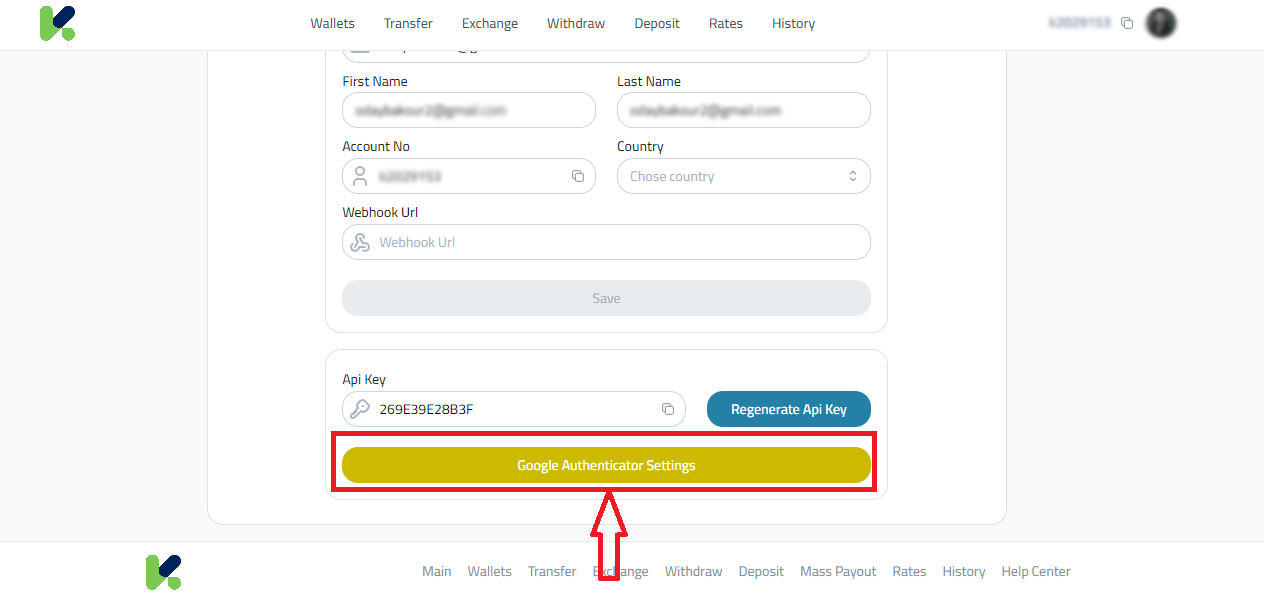
5- Enable Google Authenticator: Toggle the setting to enable Google Authenticator. Click on "Enabled." Click on "Generate New Code."
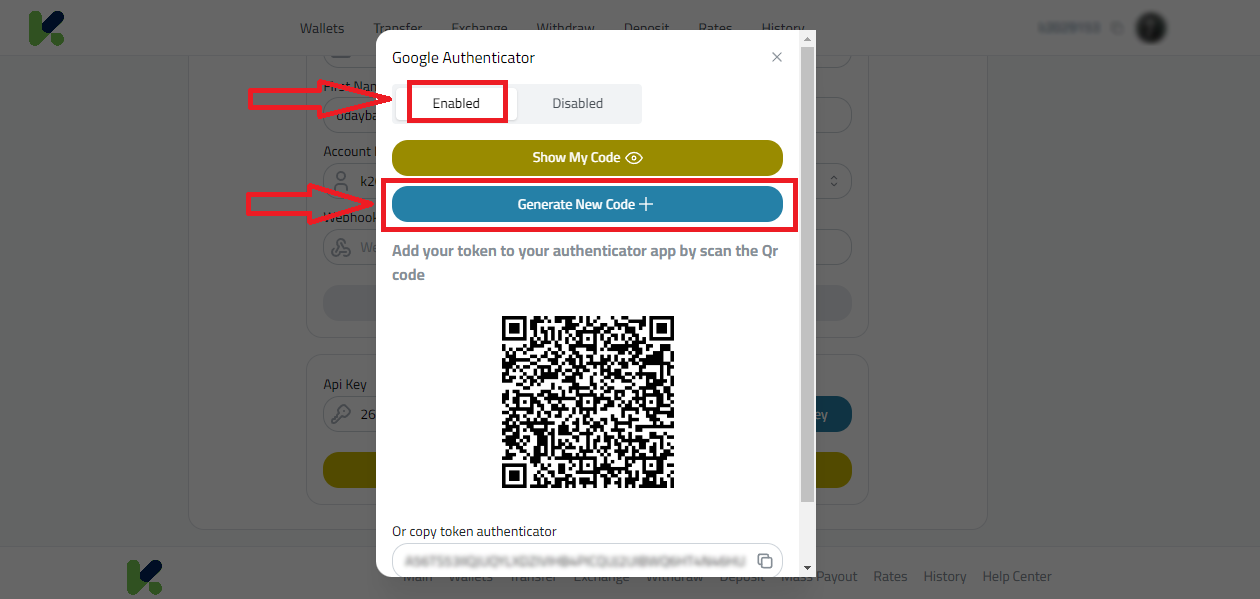
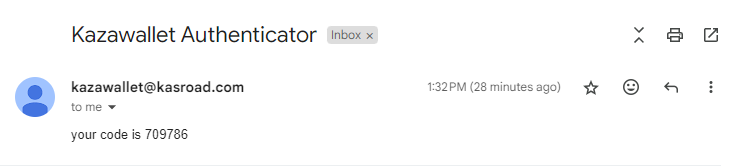
  • 6 Enter the code you have receivedafter you click on "Generate New Code." you will received a code on your email to but it on Kazawallet website.

  • 7 Choose Validation Method:You can either scan the provided QR code using the Google Authenticator app on your phone.Alternatively, you can copy the token and manually enter it into the Google Authenticator app.
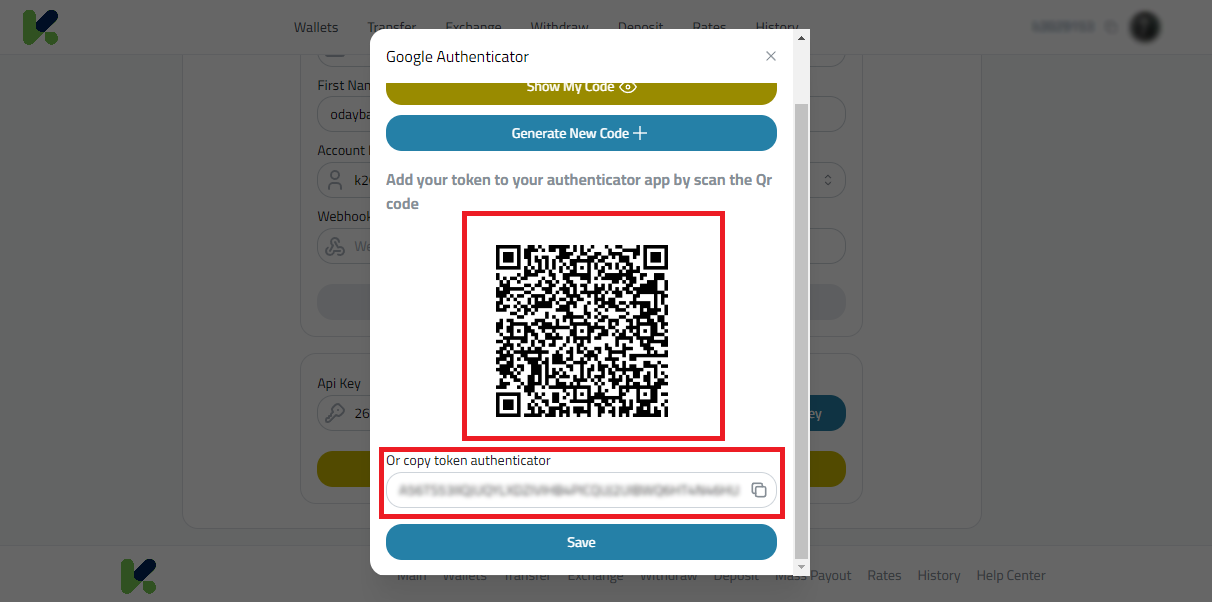
8- Save Your Settings: After validation, click "Save" on your Kazawallet account. Congratulations Your Kazawallet account is now linked with Google Authenticator, providing an additional layer of security. By following these simple steps, you've taken a proactive measure to enhance the security of your Kazawallet account.  If you encounter any issues or have further questions, feel free to reach out to our support team for assistance.

    • Related Articles

    • How can I create an account on Kazawallet?

      **To establish an account with Kazawallet, please follow the steps outlined below: Visit the Kazawallet website at [this link] from a device of your choosing. Locate and click on the "Register / Login" button situated at the upper right corner of the ...
    • How to verify your account (KYC) on Kazawallet

      Identity verification (KYC) is essential to increase your deposit and withdrawal limits and to fully secure your account on Kazawallet. In order to officially complete your identity verification and enjoy all the platform's features, please follow ...
    • How to enable Two-Factor Authentication (2FA) to protect your account

      To activate additional security options and choose the verification method that suits you best, please follow these steps: Log in to your account and go to your "Profile". From the sidebar, select the "Security" tab. Send Verification Code: You can ...
    • How can I withdraw an amount from my account in Kazawallet?

      **To withdraw an amount from your Kazawallet account, please adhere to the following steps meticulously: Initially, log into your Kazawallet account. Proceed to the [official Kazawallet website]. On the main page, click the "Wallet" button to access ...
    • How can I deposit an amount in my account in Kazawallet?

      **To deposit an amount into your Kazawallet account, you'll need to follow these structured steps: Begin by logging into your Kazawallet account. Navigate to the [official Kazawallet website]. On the homepage, choose the "Wallet" option which will ...